OpsRamp gives you a complete visibility of your Alibaba resources.
Data collection policy
After the integration is configured, the most recent one hour of data is collected. This is followed by periodic data collection. If a cloud provider service or network outage occurs, data collection continues to be attempted from the time of the last successful collection. When the outage is resolved, up to four hours of the metric data before restored connectivity is collected. If the outage is greater than four hours, the most recent four hours of data, only, is collected.
Note
The DescribeMetricList API is used to retrieve monitoring data for resources, and it is called each time metrics are collected based on the configured frequency and template settings. Alibaba Cloud provides a default quota of 50 QPS per region for this API.
API consumption increases with the number of metrics and collection cycles.For example, with a 5-minute frequency and 10 metrics, each resource generates 60 API calls every 30 minutes (10 metrics × 6 cycles). In environments with large inventories, this may exceed the API rate limit, causing throttling and resulting in missing data points in monitoring graphs.
To prevent rate-limit issues, you can:
- Request a higher API quota from Alibaba Cloud (approval depends on Alibaba), or
- Optimize metric usage by creating monitoring templates that include only the essential metrics and applying them selectively to reduce API load.
Infrastructure
To view your Alibaba resources:
- Go to Infrastructure > Resources > Alibaba Cloud.
- Click the resource name for a resource summary.
- Click the greater-than arrow of the resource and then click the integration name to view details.
Alibaba account summary: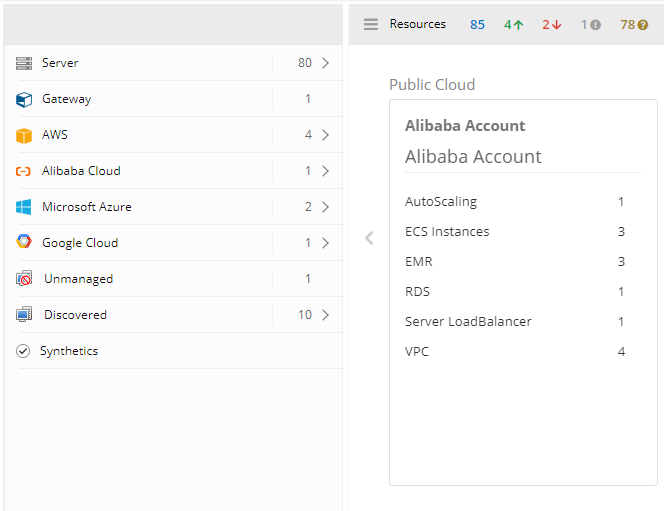
Alibaba account details: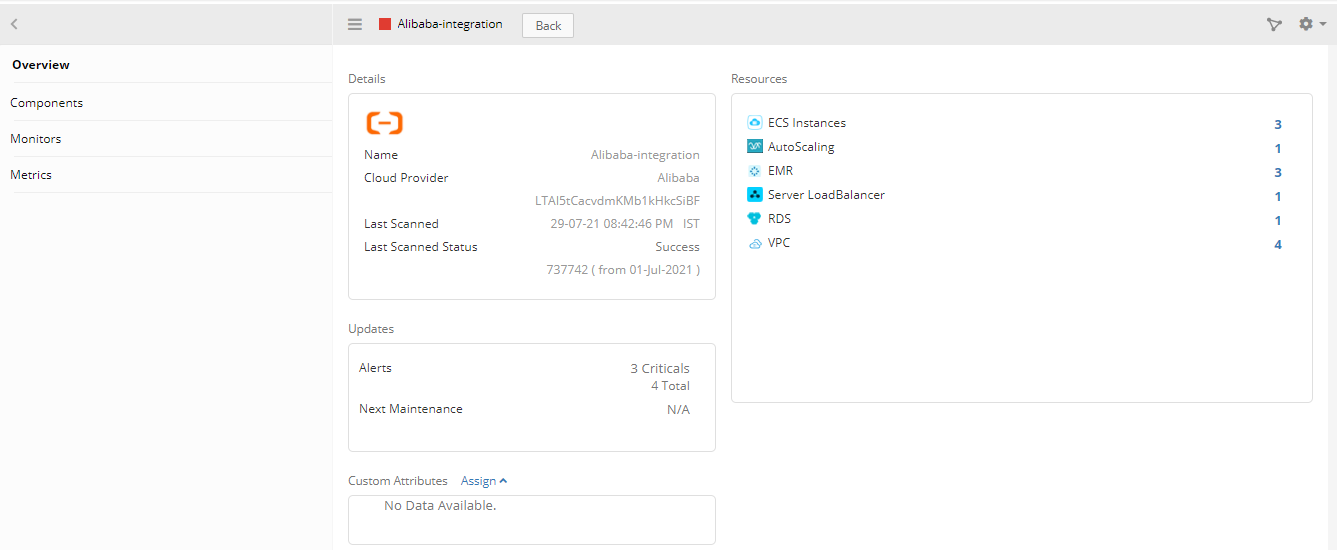
Dashboards
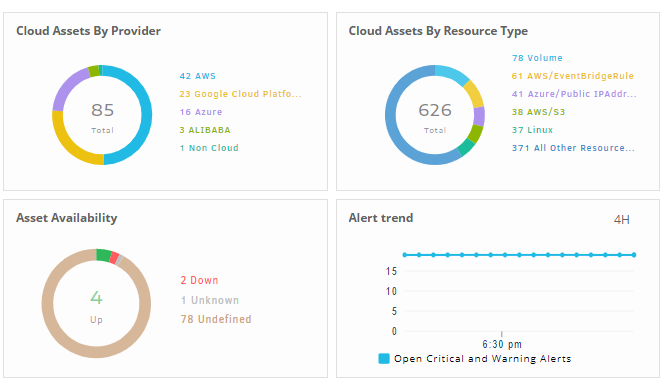
The dashboard provides a crisp and graphical representation of the statuses of the resources. The dashboard depicts a quick overview of your resources. You can add, delete, or change a widget based on the requirements. For more details, see Dashboards.