Introduction
The application provides your organization’s user details associated with the OpsRamp account. It includes user names, roles, permissions, and other relevant user management information within the OpsRamp platform.
Configuration Parameters
- Included Users: You can choose to include all users or specific users across tenants in the report.
- Specific Users Across Tenants: Selecting this option displays a dropdown that lists users grouped by tenant.
- Use the Select Users dropdown to choose up to 100 users.
- All Users for Specific Tenants: This option displays a list of all tenants.
- When you select a tenant, the report will automatically include all users associated with that tenant.
- The Select Clients dropdown allows you to choose up to 50 tenants.
- When Multi-Client is selected, the Share and Notifications settings will follow the same behavior as the All Clients option.
- Specific Users Across Tenants: Selecting this option displays a dropdown that lists users grouped by tenant.
- Supported Analysis Period: Only support the Snapshot option to analyze the report
- Supported Formats: Reports are generated in XLSX format only.
Reports Output
- Summary: This section provides the configuration details.
- Details: This section provides your organization’s user details associated with the OpsRamp account.
- Glossary: This section contains detailed information about each section present in the report tab, helping you to understand the generated data better.
Sample of reports in XLSX format: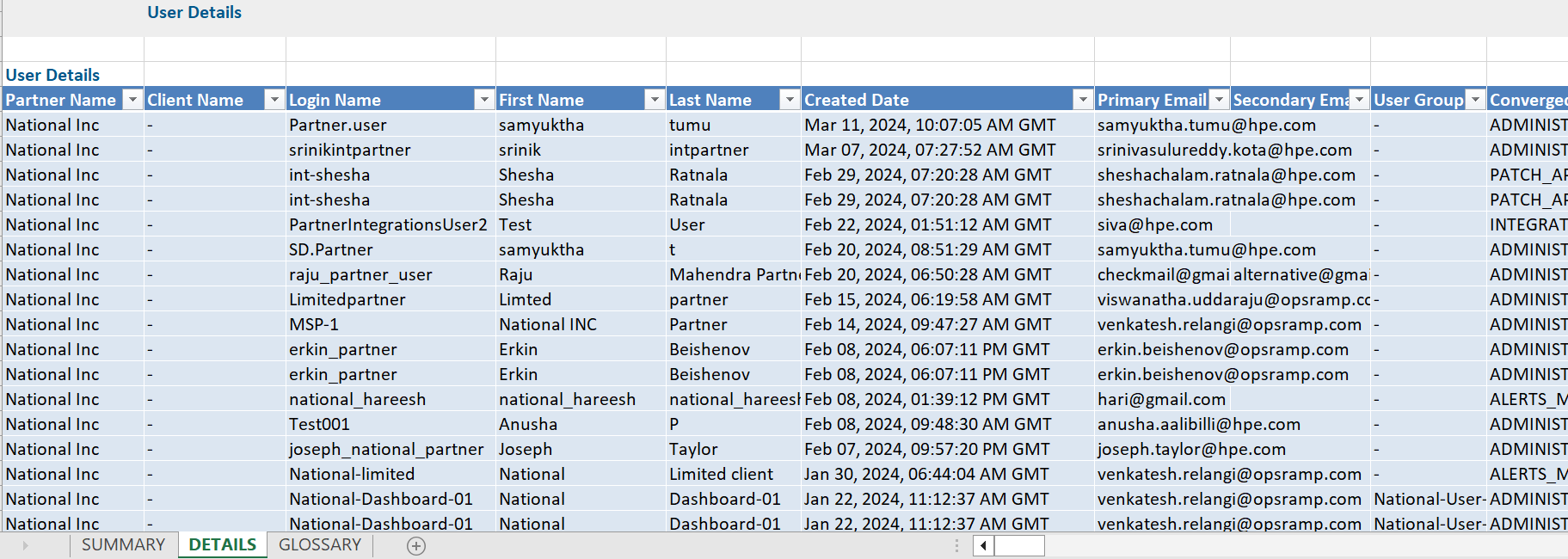
User Report Vs User Details Atrributes
Click here to view the supported attributes
| User Report | User Details | |
|---|---|---|
| UI Atrributes Selection | Display Format In Report | |
| Partner Name | N/A | Partner Name |
| Client Name | N/A | Client Name |
| Login Name | N/A | Login Name |
| First Name | N/A | First Name |
| Last Name | N/A | Last Name |
| Created Date(IST) | N/A | Created Date |
| Primary Email | N/A | Primary Email |
| Secondary Email | N/A | Secondary Email |
| User Group(s) | N/A | User Group(s) |
| Converged Permissions | N/A | Converged Permissions |
| User Account Type | N/A | User Account Type |
| Last Login Time(IST) | N/A | Last Login Time |
| Last Login Failed Time(IST) | N/A | Last Login Failed Time |
| Password Modified Time(IST) | N/A | Password Modified Time |
| State | N/A | Status |
| Status | N/A | Is_Locked |
| Two Factor | N/A | Two Factor |
| Roles | N/A | Roles |
| Role Scope | N/A | Role Scope |
| Permission Sets | N/A | Permission Sets |
| Last Login Machine IP Address | N/A | N/A |
| Last Login Failed Machine IP Address | N/A | N/A |
| N/A | N/A | Authentication Type |
| N/A | N/A | User Access |